Contents
Overview
The clause change summary is a key standards governance deliverable, relevant to changes to existing published documents.
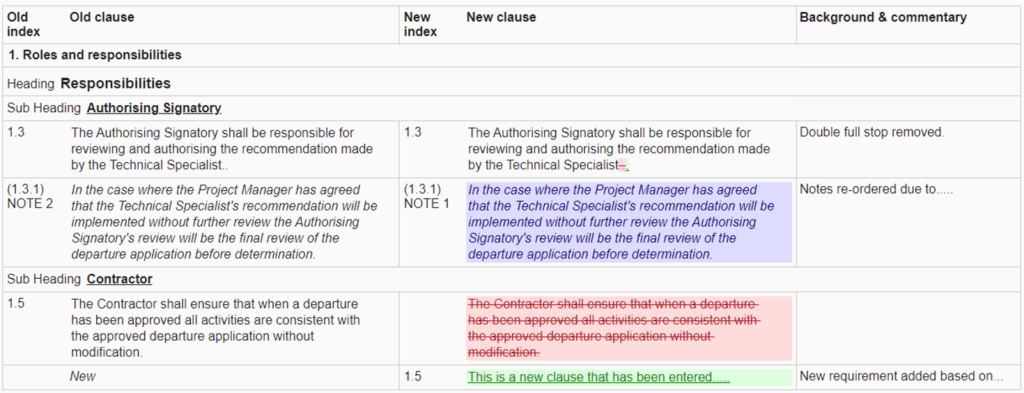
Generating the clause change summary for a document version will show changes compared to the last published version prior to the version being reviewed. The summary includes:
- Old index – the previous clause index as the last published version
- Old clause – the previous clause content as the last published version
- New index – the clause index as in the live CARS document or version being reviewed
- New clause – the clause content as in the live CARS document or version being reviewed. The ‘new’ clause content is ‘marked up‘ to help identify the changes made.
- Background & commentary – the background commentary provided against the updated clause to record the rationale behind clauses and how the change and/or introduction of a new clause in the new document provides opportunities for greater efficiency in terms of economy, productivity and effectiveness. Please see Section 4, Part 3 of the Manual for Development of Documents for more information on background commentary.
Creating a clause change summary
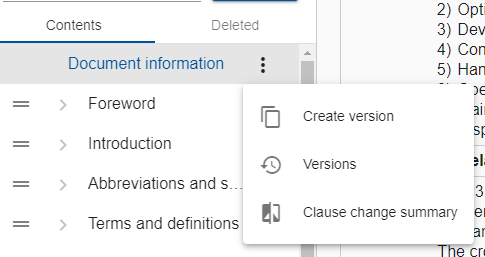
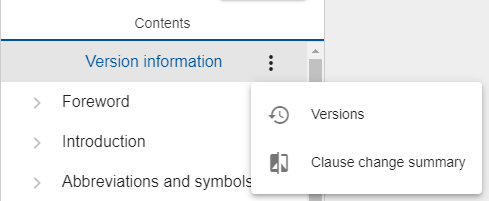
The clause change summary can easily be generated for the live document or a document version using the option provided in the ‘Document information’ or ‘Version information’ menu, see below:
Please note that if there is no previous published version then the clause change summary will be rendered empty.
Back to topMark up
Content of the ‘New clause’ column on the clause change summary is ‘marked up’ to help identify the changes made:
- Blue/purple highlighting indicates that the clause has been re-ordered.
- Red highlighting indicates that the clause/text has been deleted.
- Green highlighting indicates that the clause/text has been added.
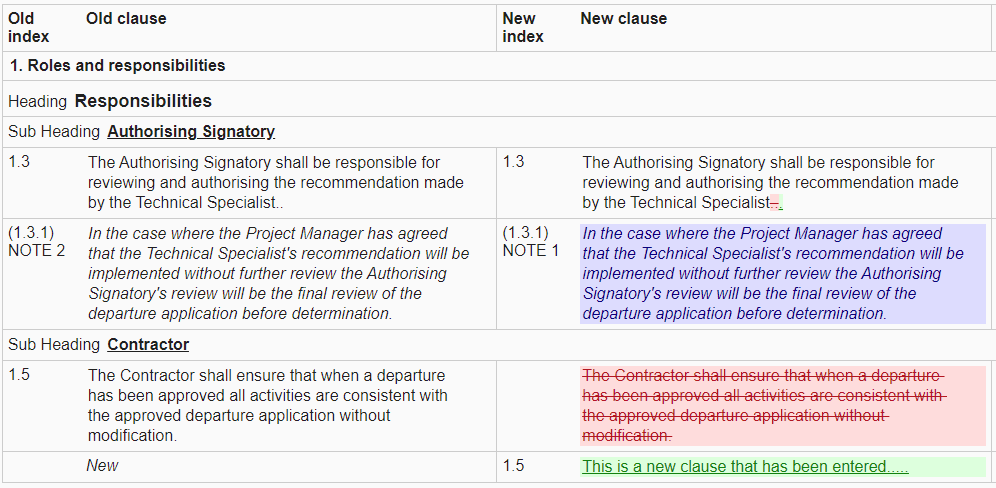
Please note that CARS will only reflect changes at a ‘word level’; character changes within a word will not be identified, the whole word will be shown as deleted and a new word added.
Back to topPrinting the clause change summary
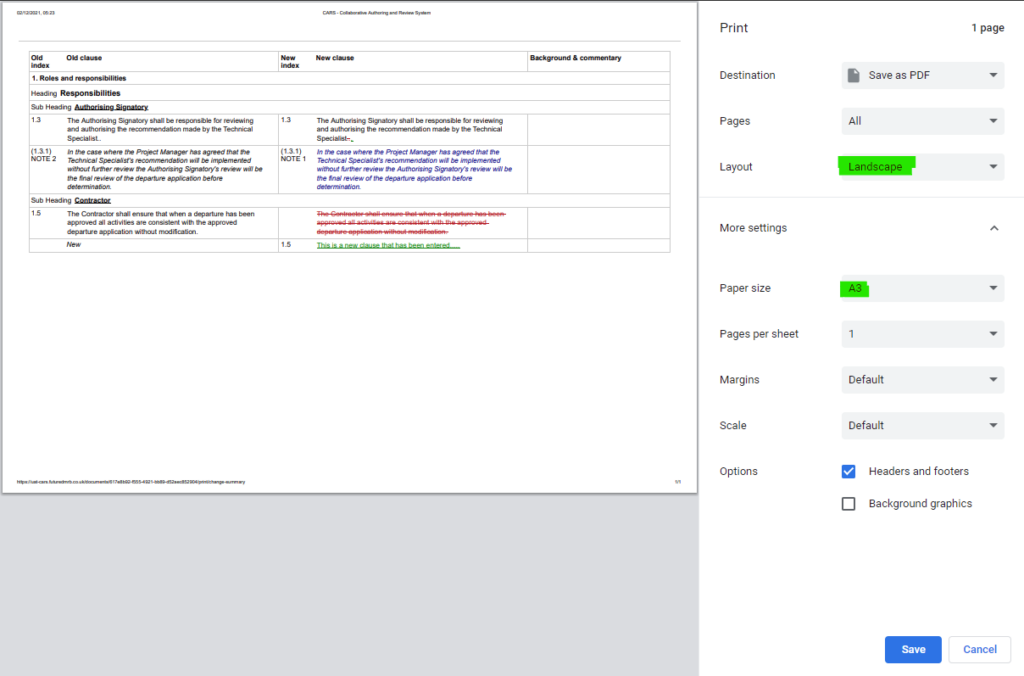
A print button is provided at the top right of the clause change summary in order to create a PDF report, a required deliverable as part of consultation. Clicking this button will open your browser’s default print options.
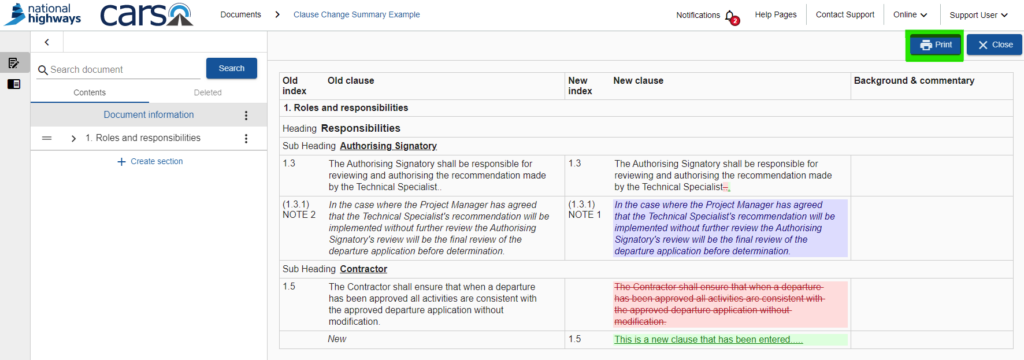
To ensure the PDF created is readable by consultees, it is recommended to configure the print options to use A3 page size and a landscape orientation.