
The technical author shall submit a draft change issue in Jira for the initial creation of new standards documents into the DMRB or MCHW or for any updates to that document.
Contents
- NOTE 1: Change issues record the governance associated with the creation of, or update to a document. There can be multiple change issues listed against a document to track the history of updates to that document.
- NOTE 2: Draft change issue templates are created by TSG to ensure they are linked against the appropriate document that is being created or updated. Please contact TSG to set this up in the first instance.
- NOTE 3: Training material for technical authors on how to use Jira is available here: https://youtu.be/sXPekN0GJZo
Once you’ve received the link of your change issue, please press the following workflow buttons to open the draft form that contains the background information related to the change you want to make:
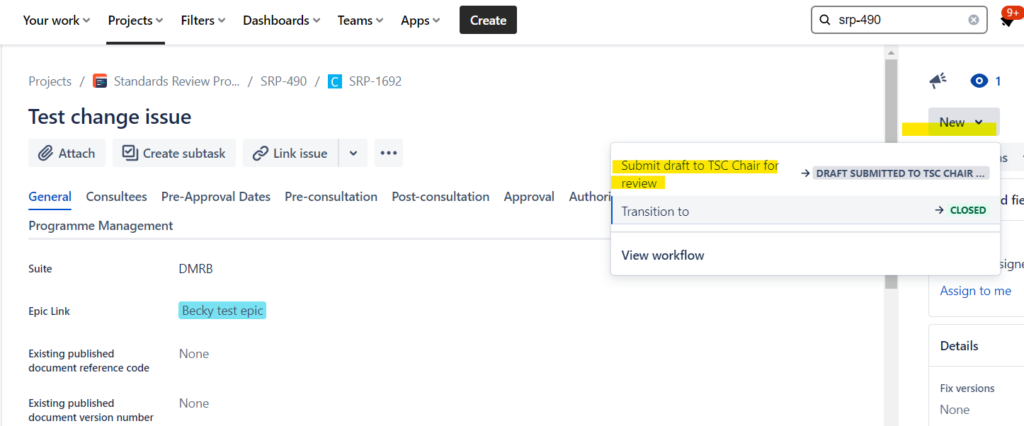
Submit draft to TSC chair for review
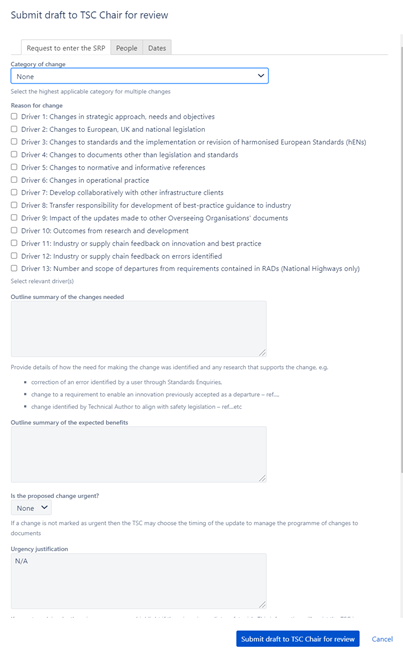
Please complete the draft change issue by reviewing the three separate tabs. The related information and options are explained in more detail below.
Request to enter the SRP
Category of change (pick one of the following):
- Category A: Change to policy, major revision, new document development
- Category B: Incremental change to requirements
- Category C: Incremental change to advice
- Category D: Incremental change to notes and/or spelling mistakes
Reason for change (select all relevant drivers):
- Driver 1: Changes in strategic approach, needs and objectives
- Driver 2: Changes to European, UK and national legislation
- Driver 3: Changes to standards and the implementation or revision of harmonised European Standards (hENs)
- Driver 4: Changes to documents other than legislation and standards
- Driver 5: Changes to normative and informative references
- Driver 6: Changes in operational practice
- Driver 7: Develop collaboratively with other infrastructure clients
- Driver 8: Transfer responsibility for development of best-practice guidance to industry
- Driver 9: Impact of the updates made to other Overseeing Organisations’ documents
- Driver 10: Outcomes from research and development
- Driver 11: Industry or supply chain feedback on innovation and best practice
- Driver 12: Industry or supply chain feedback on errors identified
- Driver 13: Number and scope of departures from requirements contained in RADs (National Highways only)
Outline summary of the changes needed (free text):
Provide details of how the need for making the change was identified and any research that supports the change, e.g.
- correction of an error identified by a user through Standards Enquiries;
- change to a requirement to enable an innovation previously accepted as a departure;
- change identified by Technical Author to align with safety legislation.
Outline summary of the expected benefits (free text):
What are the expected benefits of the creation of, or update to the document?
Is the proposed change urgent? (pick one of the following);
- Yes
- No
If a change is not marked as urgent then the TSC may choose the timing of the update to manage the programme of changes to documents.
Urgency justification (free text):
If urgent, explain why there is an urgency, e.g. highlight if there is an immediate safety risk. This information will assist the TSC in programming the changes, e.g. to avoid too frequent changes to documents but to manage risks.
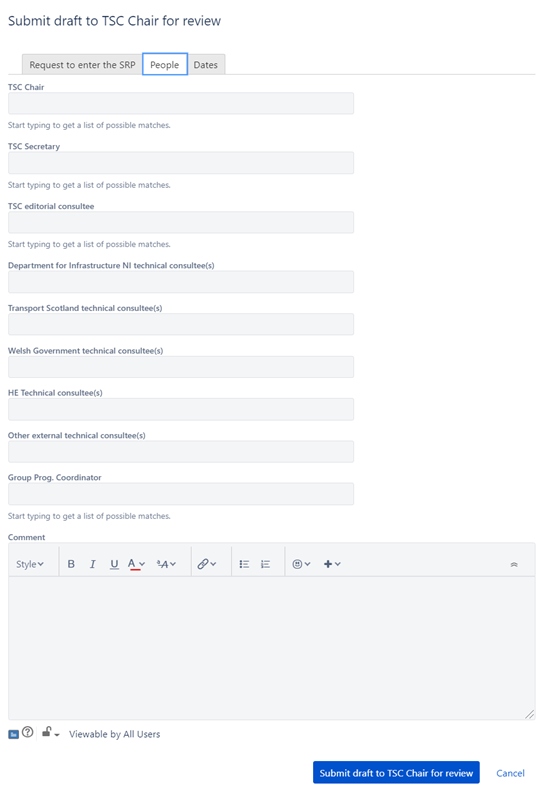
People
- TSC Chair (enter name)
- TSC Secretary (enter name)
- TSC editorial consultee (enter name)
- Department for Infrastructure NI technical consultee(s) (enter name)
- Transport Scotland technical consultee(s) (enter name)
- Welsh Government technical consultee(s) (enter name)
- HE Technical consultee(s) (enter name)
- Other external technical consultee(s) (enter name)
- Group Programme Coordinator (enter name – optional)
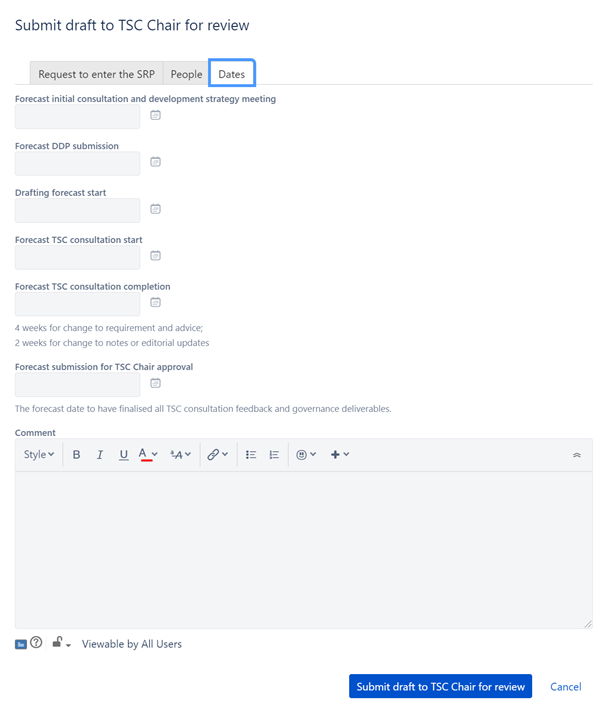
Dates
- Forecast initial consultation and development strategy meeting (input a date)
- Forecast DDP submission (input a date)
- Drafting forecast start (input a date)
- Forecast TSC consultation start (input a date)
- Forecast TSC consultation completion (input a date)
- Forecast submission for TSC chair approval (input a date)
- NOTE 4 weeks for change to requirement and advice; 2 weeks for change to notes or editorial updates.
- NOTE 1: The forecast date to have finalised all TSC consultation feedback and governance deliverables.
Submit your form
Please press the button ‘Submit draft to TSC Chair for review’ once complete and the issue will be assigned to the TSC Chair for their decision.

If the form does not submit, please check the top of the form on the three separate tabs for any red warning errors. This usually means a mandatory data entry field has been left blank or unticked/unselected.
Back to top