Contents
Overview
Document reviews of published standards are required at least every 5 years to check if the whole document is up to date and to identify what clauses need to be changed in order to bring the document up to date.
A detailed training video on the document maintenance process is available here:
Detailed requirements can also be found in section 18 of Manual for Development of Documents part 1.
Back to topDocument review checklist
Document reviews shall comprise a review of drivers and opportunities for change using the document review template provided in the governance SharePoint folders: Document review template
Please download your own copy of the document review checklist to be completed offline. Once your document review checklist is complete, please save a copy in the governance SharePoint folders. You will find a specific folder for your document e.g. GG 101 under the DMRB or MCHW folders and then within the folders split between group/discipline e.g. Structures or Pavements.
Back to topUpdates needed to Jira
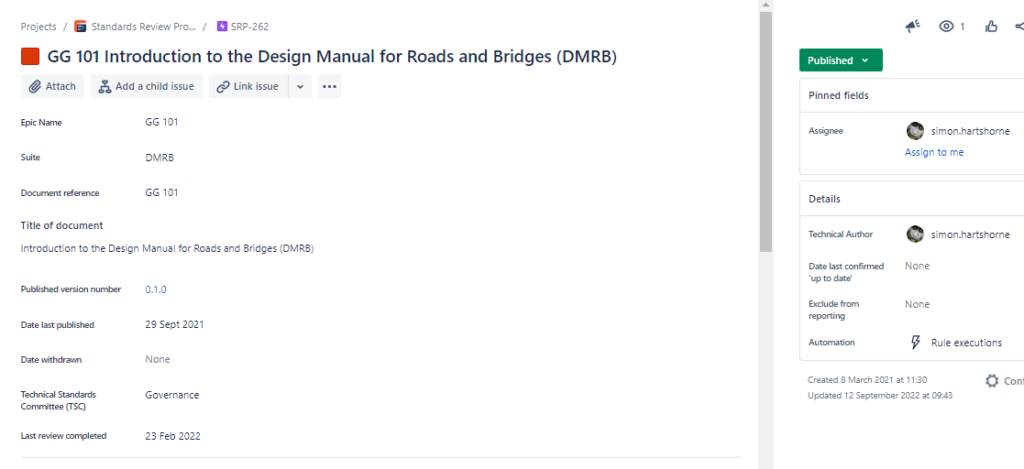
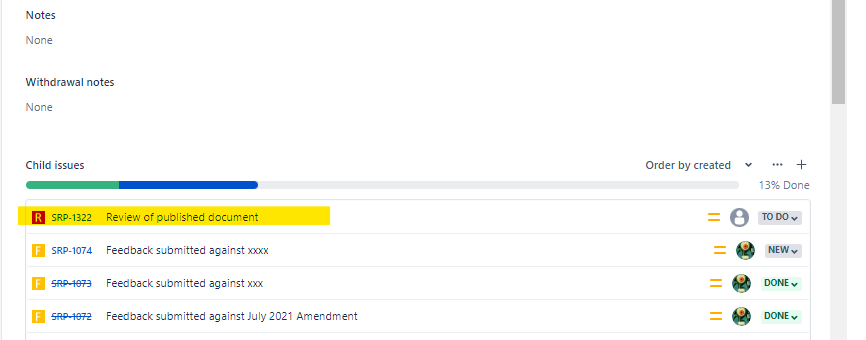
Each document review checklist outcome needs to be recorded in Jira. Please find your document specific epic in Jira e.g. GG 101 and look for the associated issues to find the document review issue. The document review issue is a red box icon with an ‘R’.
Find your document review issue
Complete the document review issue
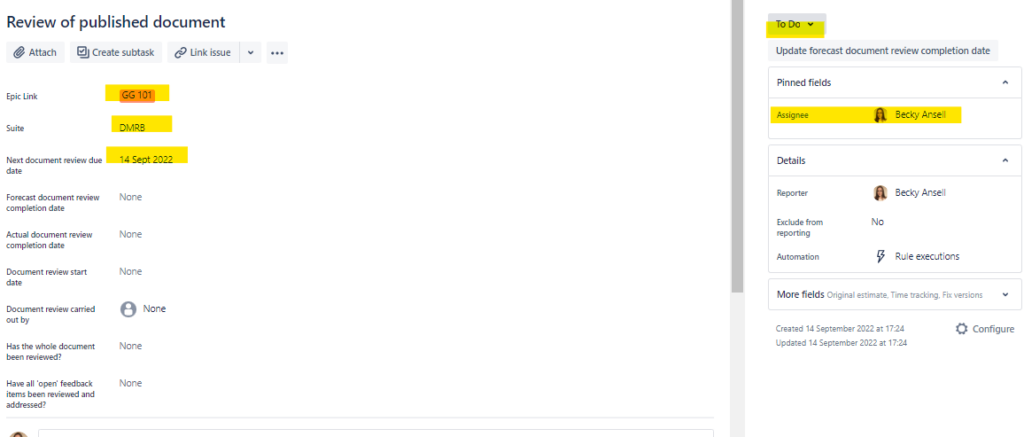
On the left hand side of the document review issue you will be able to see the document this relates to (epic link), suite (DMRB or MCHW) and ‘Next document review due date’.
If this is your first document review, the due date is calculated at 4 years post publication as a new style document. In the example below this means it was published in 14 September 2018 and the document review due date is 14 September 2022.
The document review due date is the date by which your document review checklist should be completed meaning you have 1 year to make any associated changes, if required.
On the right hand side of the document review issue you will see a workflow status – currently marked as ‘to do’ and the assignee, which is usually the named Technical Author.
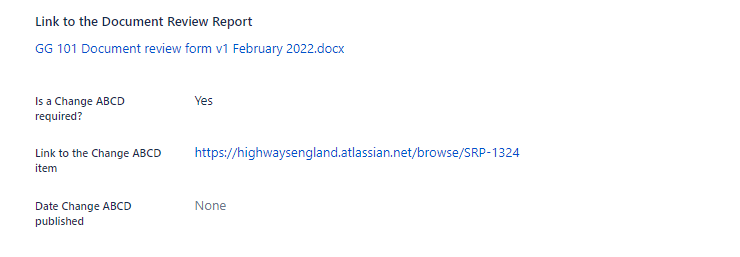
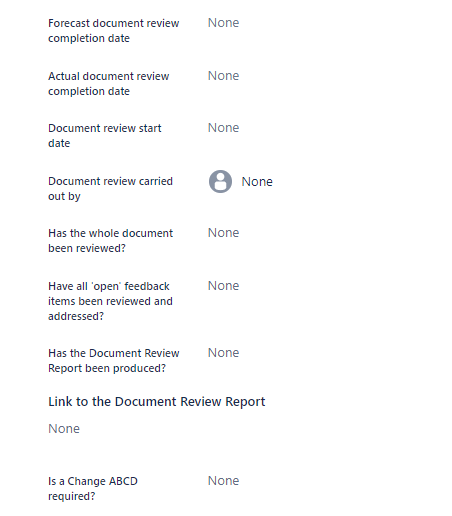
Upon starting or completing your document review checklist, please complete the data entry fields on the left hand side. For the ‘Link to the Document Review Report’, please go to your governance SharePoint folders and ‘copy link’ for the completed checklist so you can paste this into Jira.
Please complete to as far as ‘Is a Change ABCD required’ i.e. is a change required to the document as a result of completing the checklist.
Complete the workflow
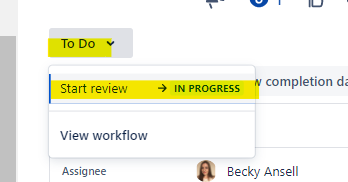
Please move to the right hand side of the document review and update the workflow of the document review issue.
The information below shows the complete process and you can determine whether a change is required or not.
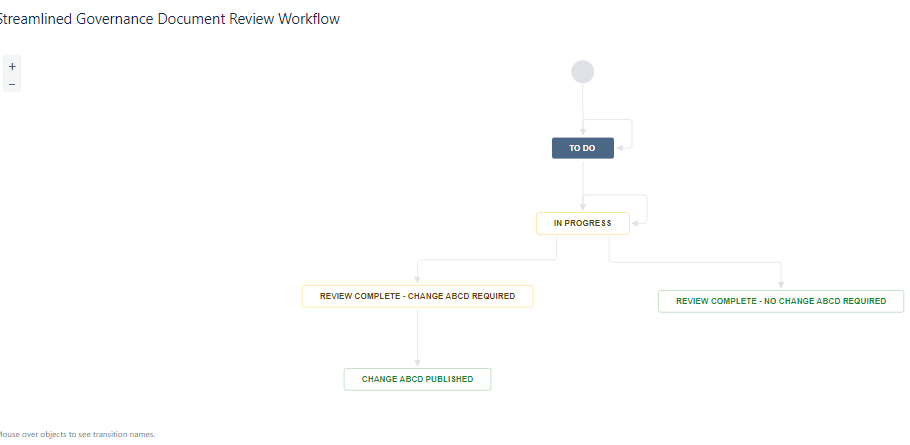
Where a change is not required, the next document review due date will be plus 5 years from the date the review was completed. A new document review issue is automatically generated in the associated issues. This is the end of the process.
Where a change is required, a ‘change issue’ will be automatically created against the epic for the document in the associated issues. This can be used to record the governance for the update to the document. A new document review issue is also automatically generated in the associated issues showing a requirement to complete the next document review in 5 years time.
A link to the associated change issue will automatically be populated in the document review issue and once the change issue is published, the Date Change ABCD published will be marked as complete and the workflow marked as done. The expectation is that the associated change issue is completed through to publication within 1 year.