
Contents
Starting point
If you have already attempted to amend your existing email address in Jira (owned by Atlassian) and have been told it cannot be processed because it is already associated with another Atlassian account, please follow the guidance below.
If you have not yet attempted to amend your email address within Jira, please follow this separate guidance first: https://help.futuredmrb.co.uk/how-to-amend-your-email-address-in-jira/
Why do I have a duplicate Atlassian (Jira) account?
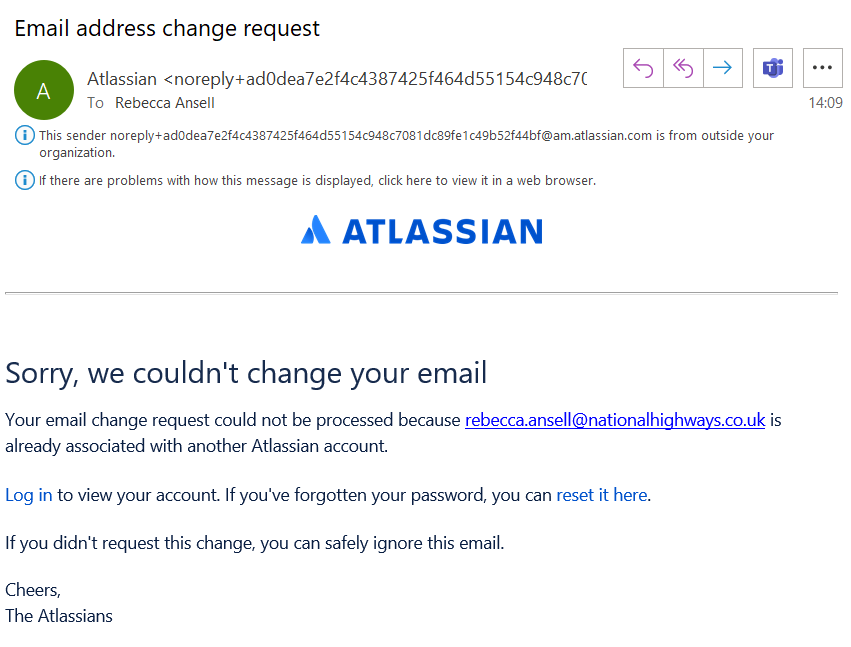
When users request a password reminder and use their newer National Highways email address, Atlassian sets up a new account without any products associated with it. This is because the account does not exist and the existing Jira account is set up using the older Highways England email address.
There is no way of stopping this from happening unfortunately and it has been raised with Atlassian as a support issue with no resolution being offered other than steps below to delete the account or use a temporary email address.
The only way to amend your email address without a duplicate account being set up, is to log in using your existing email address (Highways England) and follow the guidance to amend your email address: https://help.futuredmrb.co.uk/how-to-amend-your-email-address-in-jira/
In this example, because you’ve been told you have a duplicate account, please continue to follow this guidance.
Back to topLog out of all Jira instances
Please log out of Jira everywhere and then log in here with your National Highways email address: https://id.atlassian.com/manage-profile/account-preferences
Back to topCheck you are logged in to correct account to be amended or deleted
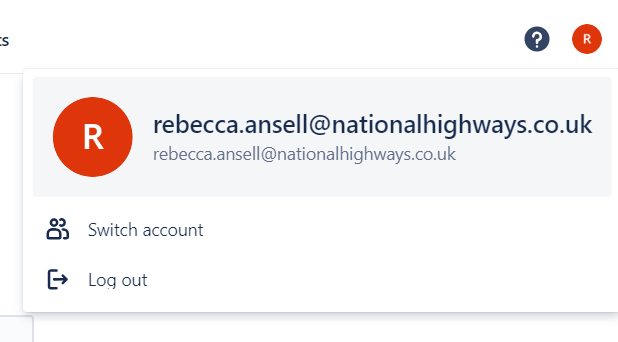
You need to make sure you are logged in with your National Highways email address (go to the icon in the top right with your initials and click on it to check the email address is your National Highways email address).
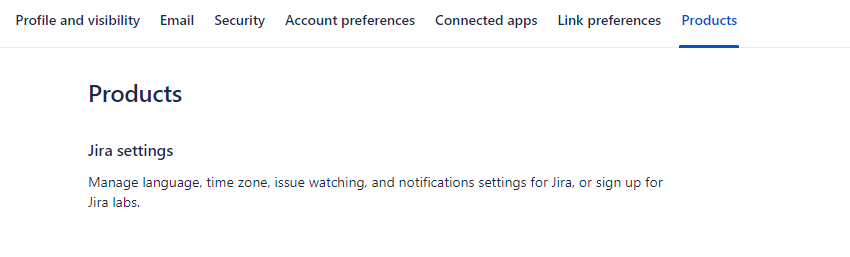
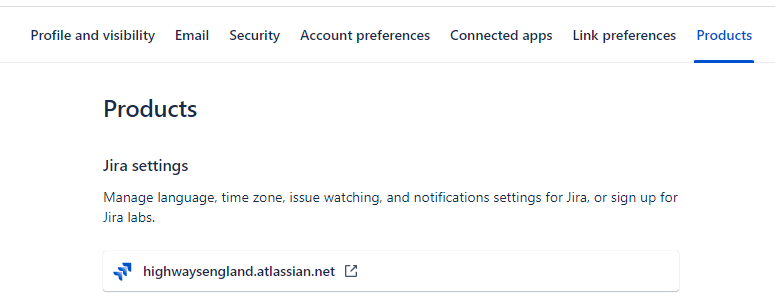
A further way you know you are in the account to be amended or deleted is by the ‘Products’ associated with it. The one to be amended or deleted will have no associated products whereas your correct account you want to keep (currently assigned to your Highways England email) has ‘highwaysengland.atlassian.net’ associated with it.
Account to be amended or deleted with no products
An example of what you should see where no products are associated with that account.
Example of account where it has products associated with it
This example shows an account that has the highwaysengland.atlassian.net product associated with it. This account should not be deleted.
Decide on best next steps
To release your National Highways email address, you can either delete the account and wait 14 days for it to be released, or change the email address to a temporary personal account e.g. @yahoo.com, @outlook.com which means your National Highways email address has been released and can be used for your correct Jira account where you complete your work.
Back to topHow to delete the duplicate account
To delete the duplicate account and release your National Highways email address, go to the account preferences tab and press delete. This will take 14 days to be deleted.
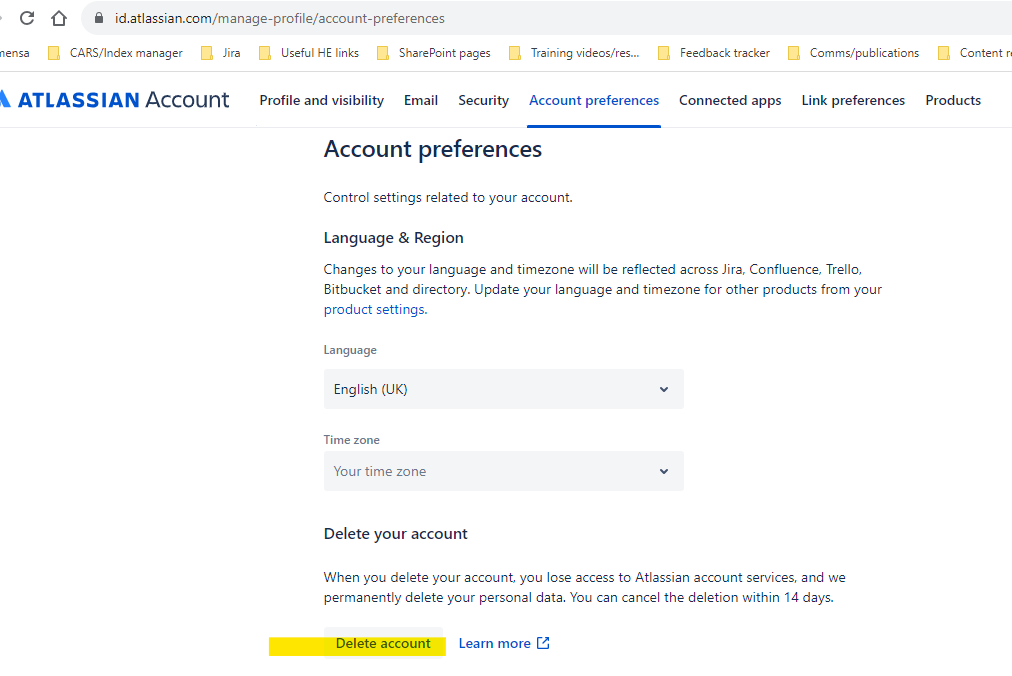
14 days thereafter, you will be able to follow this guidance to log into your Jira account using your old Highways England email address, and amend it to use your National Highways email address: https://help.futuredmrb.co.uk/how-to-amend-your-email-address-in-jira/
Please note – you can carry on using Jira in those 14 days – just log in your Highways England email address in the meantime.
Back to topHow to amend your email address to a personal email address
If you have a personal email address available, please go to the email option.
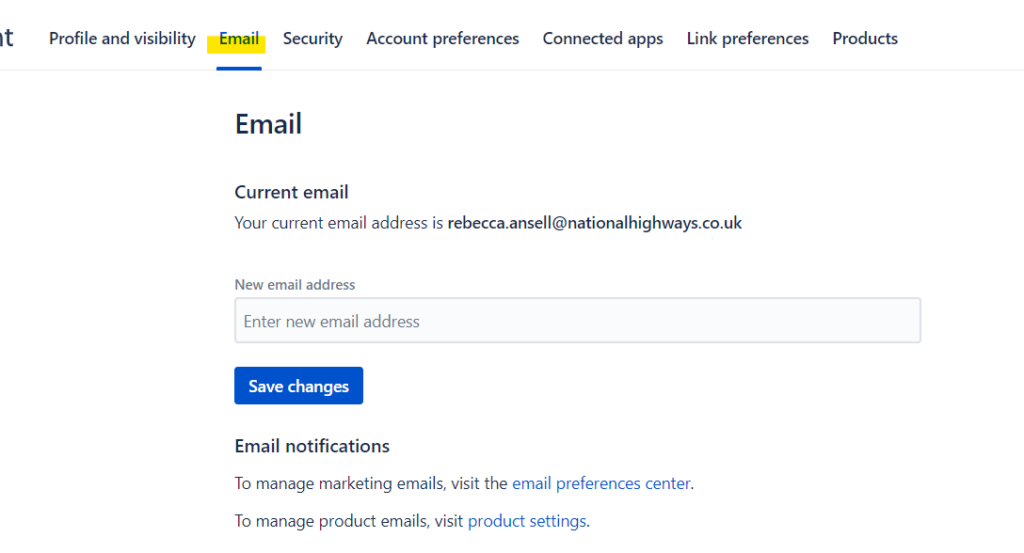
You will be able to amend the email address to a personal email address. You will receive an email at your personal email address account and should verify it there.
Back to topNext steps where you’ve amended the email address
The email address for the duplicate account has now been amended. Please go to the account preferences option: https://id.atlassian.com/manage-profile/account-preferences and delete this account as you will no longer need it.
Your National Highways email address has been released and is ready to be amended in the account where you currently use your Highways England email address. Please follow this guidance to amend your email address from National Highways to Highways England: https://help.futuredmrb.co.uk/how-to-amend-your-email-address-in-jira/
Back to topFurther support
If you need any assistance thereafter, please email standards_enquiries@nationalhighways.co.uk
Back to top