
Contents
Log into your existing account
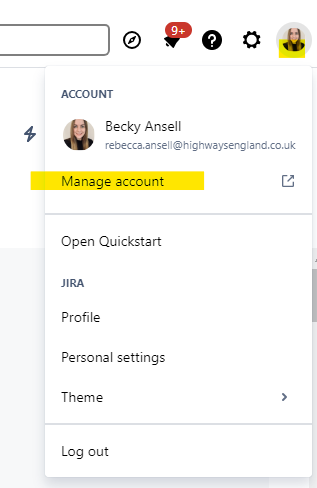
Log into your existing Jira account and select your profile photo or initials in the top right hand area to access your account area.
Click on the manage account option.
Amend your email address
Select the ‘Email’ tab which is also available via this link: https://id.atlassian.com/manage-profile/email.
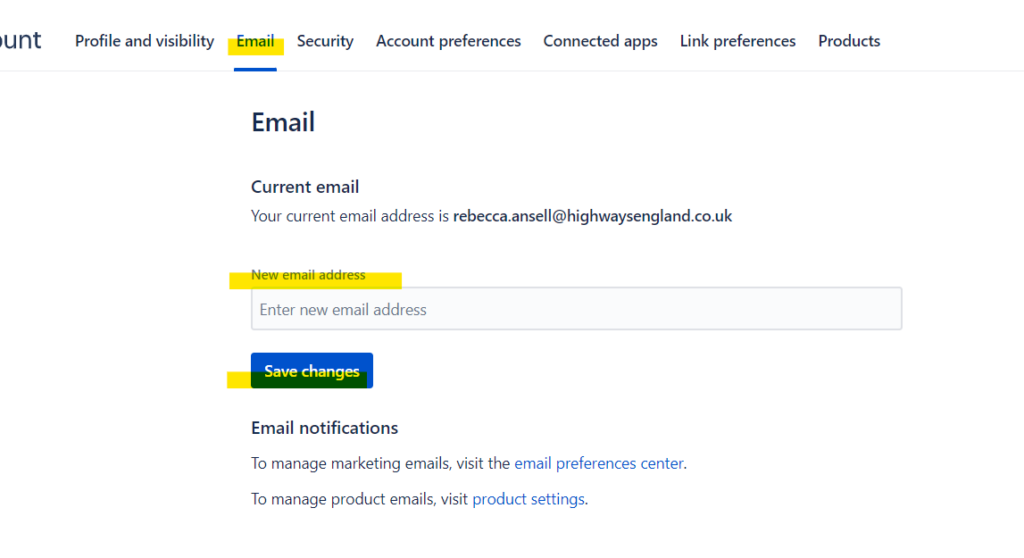
You will see your current login email address that you want to change. Enter your new email address and press ‘save changes’.
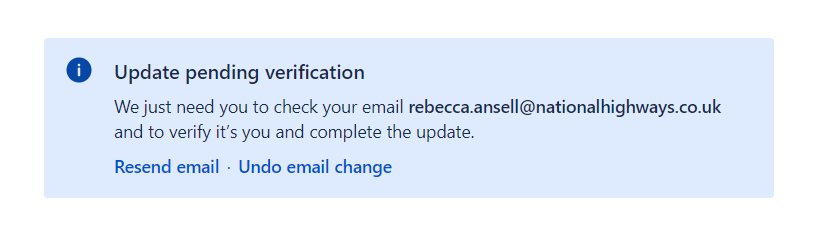
A pop up box will appear asking you to check the email inbox of the new email address to verify the change.
Notification email
You will receive an email to your existing email address notifying you of the change for your information.
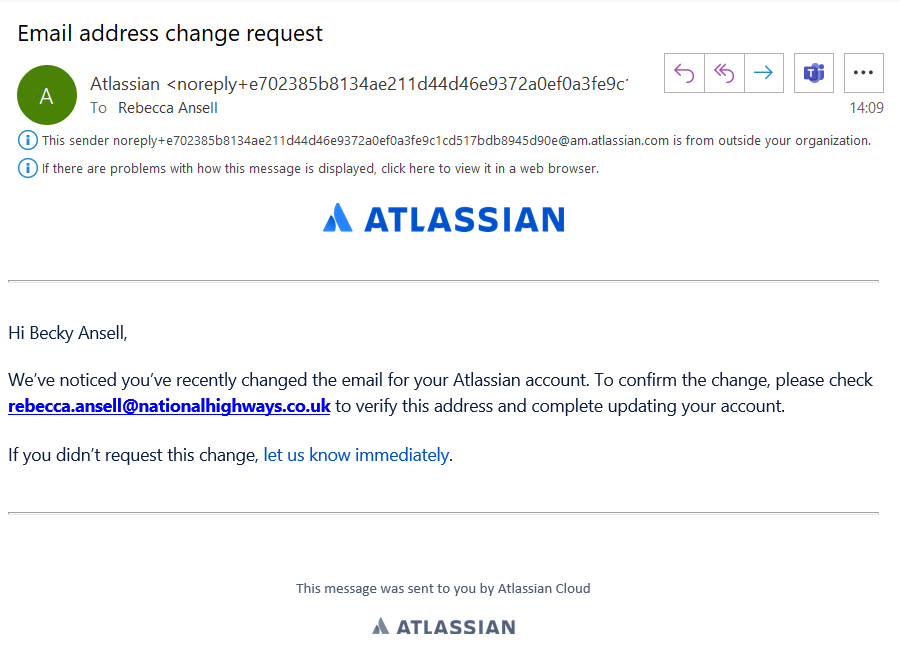
You will also receive an email to your new email address asking you to confirm this change. Please confirm the change and next time you log into Jira, you can use your updated email address.
Back to topTroubleshooting
If you receive a message saying the email address cannot be changed because it is already in use, please see the guidance for amending your email address where it is already in use elsewhere.
For any other queries, please email standards_enquiries@nationalhighways.co.uk
Back to top