
Contents
This content is only applicable to documents created within the ‘Unrestricted’ suite; the contents of the front and back pages of DMRB documents exported from CARS are centrally managed and cannot be modified.
Additional fields
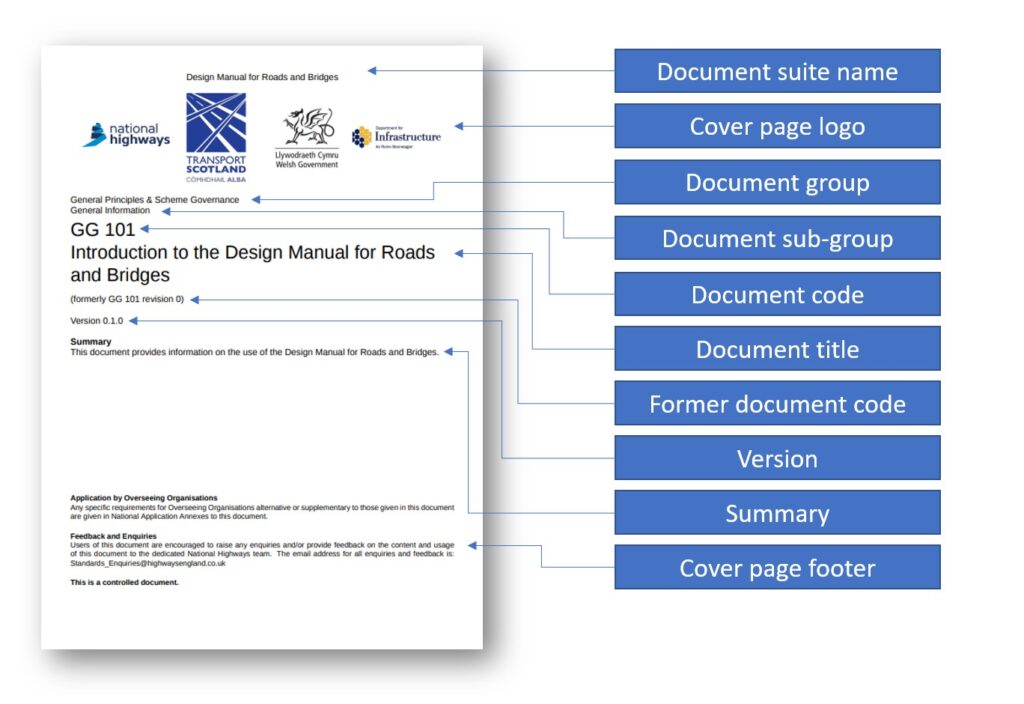
The Document Information page for ‘Unrestricted’ documents includes a number of additional fields that are used to manage the contents of the front and back pages when exporting the document to PDF or HTML.
The additional fields available are:
- Document group
- Document sub-group
- Document suite display name
- Document logo for export ( + associated alternative text )
- Document front page footer
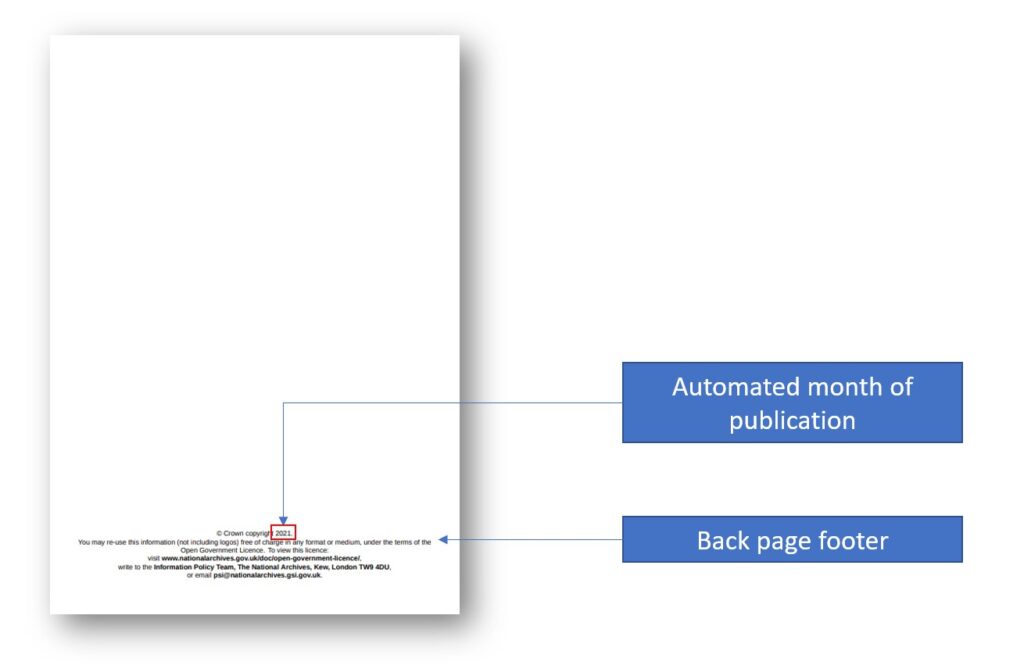
- Document back page footer
Layout
The layout of these additional fields on the page follows the same structure as used for DMRB documents. The figures below show this layout.
Adding rich content to footers
The front and back page footers support basic rich content, adopting a syntax based on markdown language. Below are the available options for adding rich content:
- # denotes a heading, i.e. “# This is my heading”
- ** surrounds text to be made bold, i.e. “here is some **bold** text”
- Links can be added using [display text](url), i.e. “click [here](www.google.co.uk) to visit Google”
In addition to these basic rich content options, you can also automatically insert the year of publication using <<publication date>>, i.e. “Copyright <<publication date>>”
Back to topFront page logo
Front page customisation supports the addition of a single logo.
As per MDD guidance, images uploaded should have a minimum resolution of 300 dpi.
The logo is always added as left aligned. If a centrally aligned logo is required then a transparent or white background banner should be created, with the desired logo centrally aligned within the image to be uploaded.
A full width banner should be 170mm wide; or 2008px wide at 300 dpi. The recommended aspect ratio for the banner is 4 wide : 1 high.
Back to top