
Contents
Requirement
The Manual for the Development of Documents (MDD) stipulates that “a link shall be established between constructor requirements and related verification and documentation requirements for validation purposes.”
Functionality has been provided in CARS to facilitate the linkage of constructor requirements and their related verification and documentation requirements; clearly highlighting where links have not been provided. Below outlines step-by-step guidance on how to use this feature.
Back to topHow to use the new verification and documentation clause linkage feature in CARS …
Every constructor requirement (freeform, standard format or nationally determined) will have an ‘invalid links’ icon shown alongside when either links have not been set, or it has not been confirmed that links are not required.
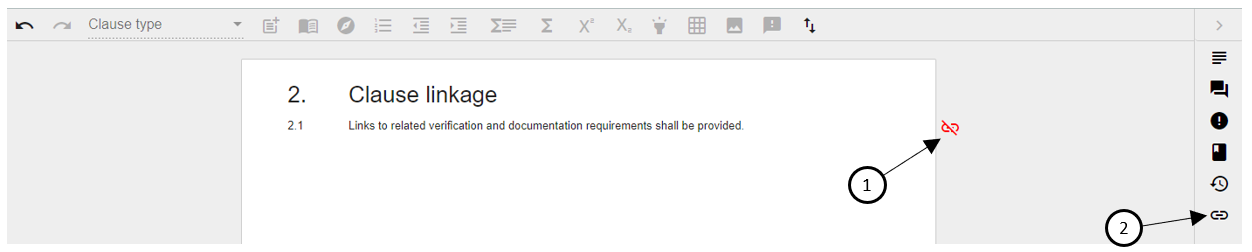
Clicking on the ‘invalid links’ icon (1 above) will open the new ‘Verification and documentation links’ side panel; also accessible by clicking the side panel’s icon (2 above).
The side panel requires confirmation whether the selected clause requires verification or documentation. The default value of ‘Not Specified’ can be changed to either ‘Yes’ or ‘No’, as shown below.
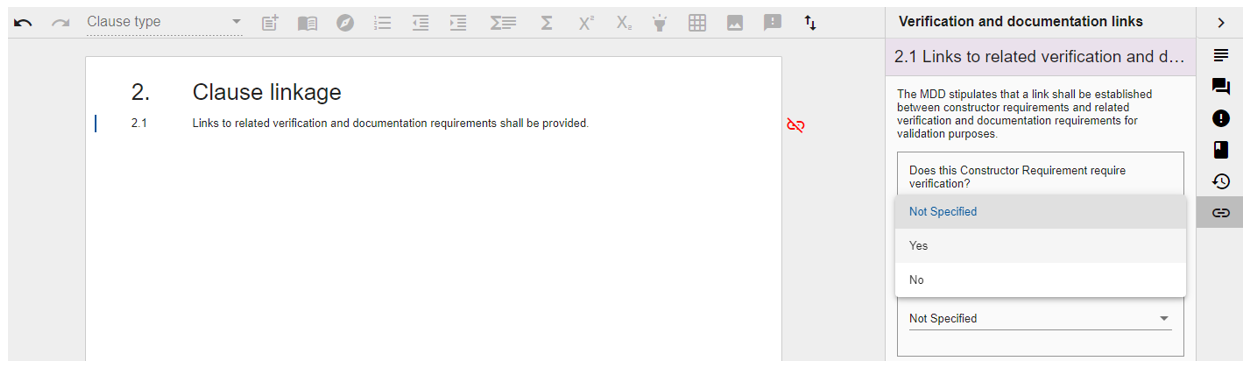
If neither verification or documentation is required, both questions are answered with ‘No’ and the ‘invalid links’ icon disappears. When links are required, you will be prompted to select the relevant clause from within the same document section.
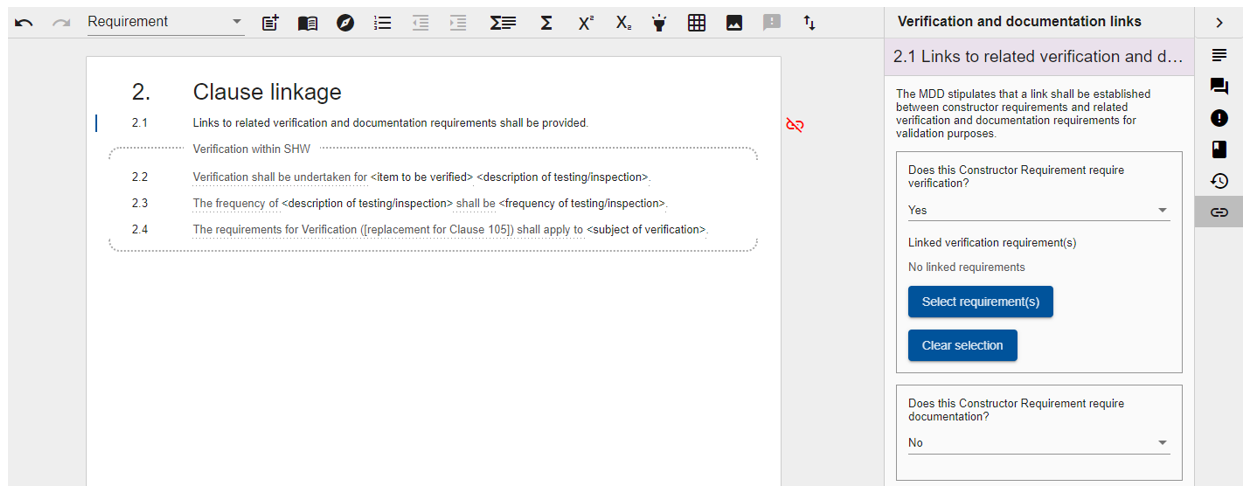
Only standard format verification or documentation requirements can be selected. The screenshot below shows how you select the relevant standard format requirement(s). Once all relevant requirements have been selected, save the selection by clicking ‘Save Selection’.
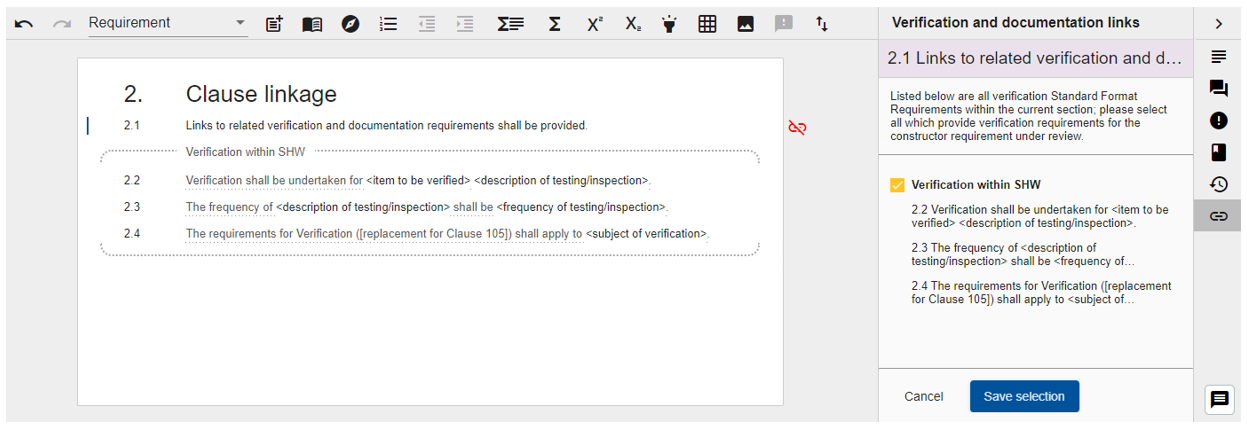
Linked clauses are clearly shown in the side panel. Clicking on different clauses within the section will refresh the side panel, if open, with relevant details for the selected clause.
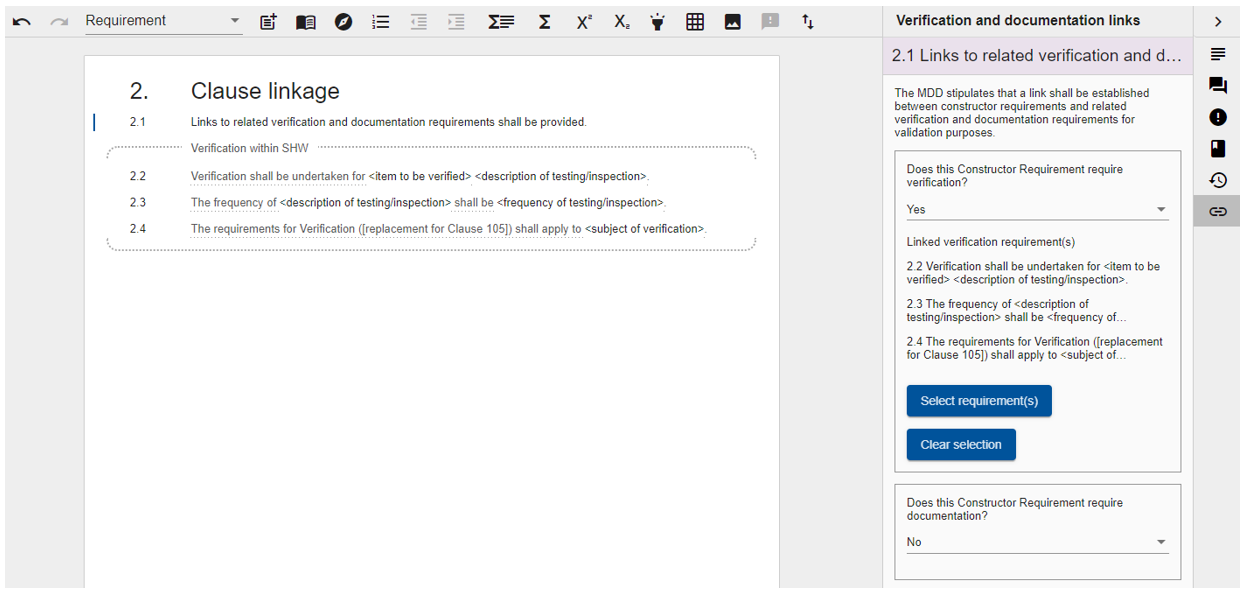
Links can be updated by clicking the ‘Select requirement(s)’ button or cleared using the ‘Clear selection’ button.
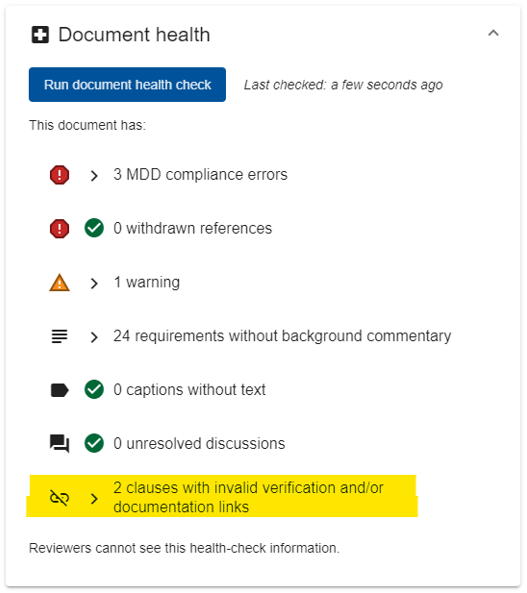
The Document health-check (available to Authors) now includes a summary of the number of invalid links:
Additional information
- This functionality is only available within MCHW documents
- If clauses are reordered within the same section, link index references will be automatically updated
- Deleting a linked verification or documentation requirement will break the link and cause the ‘invalid links’ icon to reappear
- Links can only be made to requirements within the same section
- Moving linked clauses to a different section will have the same effect as deleting the clause unless all related clauses are moved together